If you run a print on demand shop on your own, you're the designer, the copywriter, the marketer and the customer service team. All of those jobs can land in the same morning. ChatGPT can help you get the repetitive weekly work done faster, like finding ideas, writing listings, answering buyers and drafting posts.
Here are prompts you can copy, adjust and use today, grouped by the job they help with. Swap in your own details wherever you see [brackets].
First, tell ChatGPT about your shop
ChatGPT gives much better answers when it knows who it's helping. Start with a short brief like this one. Save it in ChatGPT's custom instructions, which ChatGPT reads before every conversation, or at the top of a project, so every chat in that project uses it and you don't have to repeat it every time:
I run an Etsy shop that sells print on demand [products, like mugs, t-shirts and ornaments] for [your audience, like nurses, dog lovers or new grandparents]. My style is [describe it, like warm, funny and hand-drawn]. Most of my buyers are in the US. Write in a friendly, simple voice, and ask me questions when you need more detail.
Find niches and product ideas
These three prompts help you find ideas by audience, by the everyday moments in their lives and by your own best sellers:
Give me 20 gift ideas for [audience] that would work on [product]. For each one, give a one-line design idea and the occasion people would buy it for.
What everyday moments, sayings and inside jokes do [audience] relate to? Leave out anything based on brands, TV shows or famous people.
Here are my 10 best-selling designs: [list them]. What do they have in common, and what 10 new designs would appeal to the same buyers?
Treat the answers as a starting list to research further. Search each idea on Etsy, see what's already selling (look for the "Bestseller" or "Popular now" badge) and read the reviews on the listing page before you design. You'll find more ways to find and test ideas in our guide to finding design ideas for print on demand.
Make designs with ChatGPT
ChatGPT can make images too. A good design prompt describes the subject, the style, the colors, any text and the background:
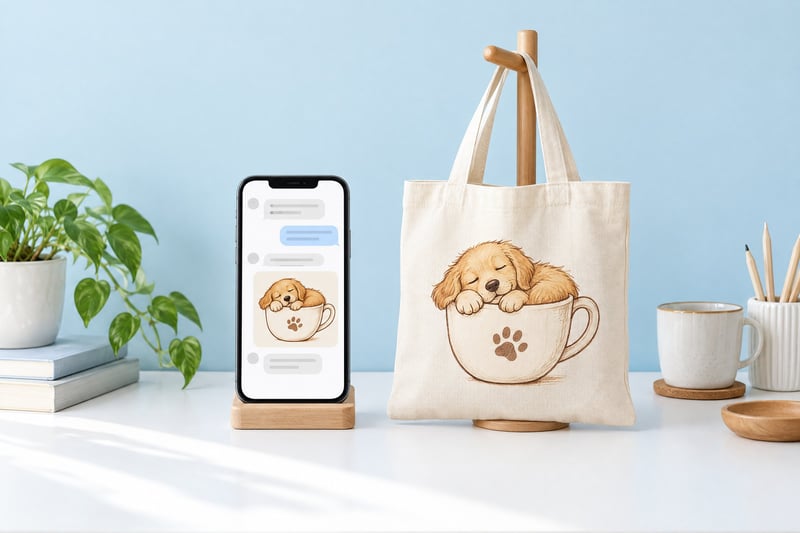
Make a t-shirt design of a sleepy golden retriever curled up in a coffee mug, in a simple hand-drawn style with warm brown and cream colors. Add the words 'But First, Naps' above it in a rounded, playful font. Transparent background. Just the design, with no shirt or mockup.
A few tips that save a lot of redos:
- Make one design at a time. You'll get more control than asking for a whole collection in one go.
- Say "just the design". Otherwise you may get a picture of a t-shirt instead of art you can print.
- Check every letter. AI still makes spelling mistakes, especially in longer phrases.
- Fix the background if needed. If it comes back white, or with a gray and white checkerboard drawn into the image (it looks transparent, but the checkerboard will print), remove it with a background remover before you upload.
- Plan to enlarge it. AI images are usually 1,000 to 1,500 pixels wide, which is too small for a big print. Read how to make AI designs print sharp before your first order.
Write listings that get found
These three prompts write titles, tags and descriptions within Etsy's limits: titles under 140 characters, and 13 tags of up to 20 characters each.
Write an Etsy title for [product] with [describe the design], for [audience]. Put the words shoppers would search for first, keep it natural to read and stay under 140 characters.
Suggest 13 Etsy tags for this listing, each 20 characters or less. Mix broad and specific phrases a shopper would really type.
Write a warm product description for [product] with [describe the design]. Say who it's for and what occasion it suits, and use only these product details: [paste the size, material and care details from your product page]. End with this sentence: This design was created with the help of AI tools.
Paste the real product details, like size, material and care, into the description prompt, since ChatGPT doesn't know your product and may guess them. The last line of the prompt ("This design was created with the help of AI tools.") helps your listing meet Etsy's requirement to say in the description when a design was made with AI. You can find Etsy's other rules on AI designs in our guide to selling AI-generated designs.
Answer buyer messages
Use the first prompt to draft a reply, and the second to make a reply you wrote sound friendlier:
A buyer wrote: [paste their message]. Write a kind, short reply. My items take [production time] to make and [shipping time] to arrive. Don't promise anything I haven't told you.
Make this reply sound friendlier but keep it clear and short: [paste your reply].
Keep the last line of the first prompt, so ChatGPT doesn't promise buyers anything you haven't committed to, like delivery by a certain date or a refund.
Write marketing content for your products
These prompts write Pinterest descriptions and Instagram captions, and plan your posts ahead of a holiday:
Write 5 short Pinterest pin descriptions for [product] for [audience]. Each should mention a different occasion or reason to buy.
Write an Instagram caption for a photo of [product]. Keep it short and warm, end with a question that invites comments, and suggest 10 hashtags.
Plan four weeks of social posts for my shop leading up to [holiday], with one idea per post and the product it features.
To get photos for these posts, use Dreamship's free AI Mockup Generator: upload your design or a product mockup, describe the scene in one sentence, like "a mug by the fireplace" or "a tote at a farmers market", and get a photo of your product in that scene.
Run your Dreamship shop right from ChatGPT
With the prompts above, you still copy the results from ChatGPT into your shop. The Dreamship plugin for ChatGPT lets you skip that step: connect your Dreamship account once, and you can ask ChatGPT to work in your account directly:
- Turn your designs into products and publish them to your store
- Look up product prices and the shipping Dreamship charges you, to set your selling price
- Check on your orders
- Draft orders for you to review before you submit them
Just type your request in the chat, for example:
Turn this design into a mug and publish it to my store.
What would 3 of my [product] cost me, shipped to [state]?
Which of my orders haven't shipped yet?
To keep you in control of costs, ChatGPT only drafts orders. Submitting, canceling and paying for orders stays with you on Dreamship. The plugin is free on every Dreamship plan, and you can see how to add Dreamship to ChatGPT here. If you use a different assistant, Dreamship also connects with Claude, Gemini, Grok and Perplexity.
What you still do yourself
ChatGPT quickly gets you first drafts and plenty of ideas to choose from. The rest is yours: read everything before it goes live, keep your own voice in your listings and pick designs with your own eye, because you know your buyers best. That's how the shops that do well with AI work faster and still keep their own style.
New to Dreamship? Create a free account, connect your store and try it with your next design.